
Download Aethia – AI Image Generator, AI Art Tool, Text to Image, Image to Image, AI GPT Chat, AI Video Generator, AI Avatar Creator, AI Comic Generator, AI Interior Design, AI Exterior Design
Overview
Aethia AI is a desktop application designed to empower artists, content creators, and creative enthusiasts with advanced AI-driven tools for generating visual content. The software enables users to transform text, images, and videos into high-quality digital artwork using cutting-edge artificial intelligence. Its primary purpose is to streamline the creative process by automating complex artistic tasks, allowing users to focus on ideation and expression. The application is particularly suited for individuals involved in digital art, graphic design, storytelling, and multimedia production.
Real-world usage scenarios include generating concept art for games and films, creating personalized avatars for social media or virtual environments, designing comic book panels from written scripts, and visualizing interior and exterior design concepts for architecture or home decor. The tool also supports video generation from still images, expanding its utility for motion content creation. With multilingual support, Aethia is accessible to a global user base, enhancing its appeal across international creative communities.
Developed by Aethia Labs, the software represents a specialized solution in the growing field of AI-powered creative tools. The developer did not provide additional background on their company or prior products. The application is positioned as a comprehensive suite for digital artists seeking to explore new dimensions of visual storytelling and design.
Key Features & Capabilities
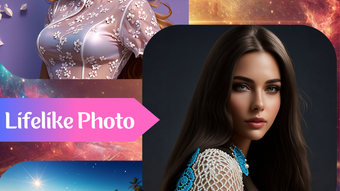
- Text to Image: Convert written prompts into detailed, original images using natural language processing and generative AI models. Ideal for brainstorming visual concepts from descriptive text.
- Image to Image: Modify existing images by applying AI-based transformations, such as style transfer, enhancement, or creative reinterpretation based on user input.
- AI GPT Chat: Integrate a conversational AI assistant within the workflow to generate creative ideas, refine prompts, or suggest artistic directions in real time.
- Image to Video: Transform static images into short animated clips, enabling dynamic storytelling or enhanced presentation content.
- AI Avatar Creator: Generate personalized avatars from text descriptions or reference images, useful for online profiles, gaming, or virtual meetings.
- AI Comic Generator: Automatically create comic-style panels from written narratives, streamlining the production of digital comics and graphic stories.
- AI Interior & Exterior Design: Visualize room layouts, architectural designs, and outdoor spaces based on textual or sketch-based inputs, supporting both residential and commercial design projects.
These features collectively support a wide range of creative workflows, from ideation to final output. For example, a designer might use the AI GPT Chat to refine a prompt, generate a text-to-image concept, then use image-to-image to adjust the style before turning it into a video for a pitch deck. The integration of multiple modalities allows for a cohesive, end-to-end creative experience within a single application.
User Interface, Workflow & Performance
The user interface of Aethia AI is structured to support intuitive navigation across its various tools. Core functions are accessible through a centralized dashboard, with dedicated panels for each feature. Users can switch between modes such as text-to-image, image-to-image, and video generation with minimal friction, maintaining a consistent layout and visual language throughout.
Workflow efficiency is enhanced by the integration of the AI GPT Chat, which allows users to interact with the system in natural language, reducing the need for technical input. The application supports drag-and-drop functionality for image uploads and export options for multiple formats, ensuring compatibility with external design tools.
Performance observations are based on general software behavior patterns. The developer did not specify resource usage details. However, given the application’s size of 3.2 GB and its reliance on AI models, it may require significant processing power for real-time generation. Stability and CPU/RAM behavior were not disclosed. Users are advised to ensure their systems meet general requirements for running complex AI applications.
Compatibility & System Requirements
Aethia AI is compatible with both Windows and Mac operating systems. The software version is 1.2.3, with an installation size of 3.2 GB. This indicates a feature-rich application with substantial data files and model libraries.
Exact system requirements were not listed. The developer did not provide information on minimum CPU, RAM, GPU, or storage specifications. Users should expect that running AI-intensive tasks may demand modern hardware, especially for real-time rendering and video generation. Compatibility information is limited to the operating systems mentioned.
Pros and Cons
Pros
- Comprehensive suite of AI-powered creative tools in a single desktop application
- Supports multiple creative workflows: text-to-image, image-to-image, video generation, and design visualization
- Integrated AI GPT Chat enhances prompt development and creative ideation
- Offers specialized tools for avatars, comics, and interior/exterior design
- Multi-language support increases accessibility for global users
Cons
- Exact system requirements and performance data were not provided
- Resource usage during operation remains unspecified
- Limited information about update frequency or long-term support
- Price point of $49.99 may be high for casual users
- No public details about the developer’s background or prior software history
FAQ Section
Is Aethia AI compatible with Windows and Mac?
Yes, Aethia AI is designed to run on both Windows and Mac operating systems.
Is the software safe to download and install?
While the developer has not provided specific security certifications, the application is distributed as a standalone desktop package. Users should download from official sources to ensure authenticity.
How often are updates released?
The release date of version 1.2.3 was May 15, 2024. The frequency of future updates was not specified by the developer.
What type of license does Aethia AI use?
The software is sold as a one-time purchase at $49.99. The exact license type was not disclosed.
Can Aethia AI be used offline?
Information regarding offline functionality was not provided. The application may require an internet connection for certain AI model operations, but this is not confirmed.
Final Thoughts + CTA
Aethia AI presents a powerful and versatile solution for creative professionals and enthusiasts seeking to harness the potential of artificial intelligence in visual art and design. With a broad range of features—from text-to-image generation and AI avatars to comic creation and architectural visualization—it stands out as a comprehensive desktop tool for digital creators. The integration of an AI GPT chat adds a layer of intelligence to the creative process, enabling more intuitive and dynamic workflows.
While some details such as system requirements and performance metrics are missing, the application’s robust feature set and multilingual support make it a compelling choice for artists, designers, and content creators. The $49.99 price point reflects its premium positioning, and users should consider their workflow needs before purchasing.
For those invested in AI-driven creativity and seeking a unified platform for diverse visual projects, Aethia AI offers a compelling entry point. Download Aethia now and unlock the future of digital art.







